Starting in early August, Microsoft began integrating OpenAI’s latest generative AI model, GPT-5, into Microsoft 365 Copilot Chat. This upgrade enhances the AI assistant’s capabilities for all WashU users—whether they have a full Copilot for Microsoft 365 license or are using the free Microsoft 365 Copilot chat version—offering smarter reasoning, quicker responses, and improved access to work-related data.
What’s New with GPT-5?
GPT-5 is OpenAI’s most advanced AI system to date. It brings several improvements to Copilot Chat:
- Smart Orchestration: Automatically selects the best model (GPT-5 Chat or GPT-5 Reasoning) based on the complexity of your query.
- More Accurate Responses: Enhanced fluency and contextual understanding help deliver better answers on the first try.
- Advanced Problem-Solving: Handles multi-step logic, complex calculations, and structured analysis with ease.
Accessing GPT-5
Free License (Microsoft Copilot Chat)
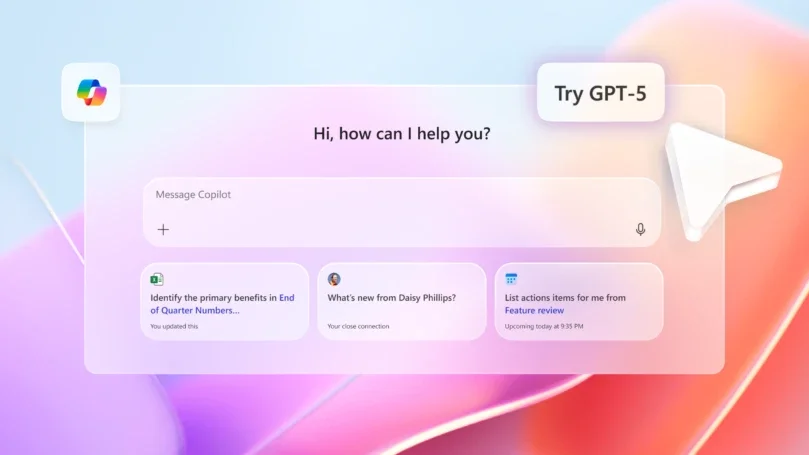
Users with the free Copilot Chat license will see a “Try GPT-5” button in the top-right corner. This includes:
- Basic access to GPT-5 via Copilot Chat and desktop app
- Standard GPT-5 model for general queries
- No access to enterprise data (emails, meetings, documents)
- A light version of Copilot Studio to build simple agents for Microsoft 365
Learn more about Microsoft 365 Copilot Chat
Full License (Microsoft 365 Copilot)
Users with the full Copilot license get full GPT-5 integration, including:
- Smart Mode: Dynamically switches between fast and deep reasoning models
- Integration with Word, Excel, Outlook, Teams, and more
- Access to enterprise data for context-aware responses
- Researcher Agent: Synthesizes information across multiple sources
- Priority performance and consistent quality
- Support for complex workflows, strategic planning, and post-mortem analysis
- Light access to Copilot Studio for building declarative agents
Learn more about Microsoft 365 Copilot