Ask WashU
Secure, full featured & advanced AI platform for multi-model chatting & WashU-tuned navigators
Assistants & Navigators | Settings | Feedback & Support | FAQ | Restrictions for Use
Ask WashU
A secure, robust AI platform where WashU faculty, staff and students can access general chat features, interact with multiple files, select from different models across multiple providers (OpenAI, Google, etc.) and access similar features with ChatGPT Edu and Gemini. It also includes experimental WashU-trained navigators to more easily interact with a curated set of WashU information!
Key Features:
- Robust chatting capabilities with multiple models across multiple providers
- Interact with multiple files across one or more chat
- HIPAA-protected and FERPA-compliant
- Customizable prompt templates to jump-start your ideas
- Personalization features so you can tune Ask WashU to your preferences
- WashU-trained navigators to more easily interact with WashU content
- Experimental features such as navigators and agents available to try
Overview
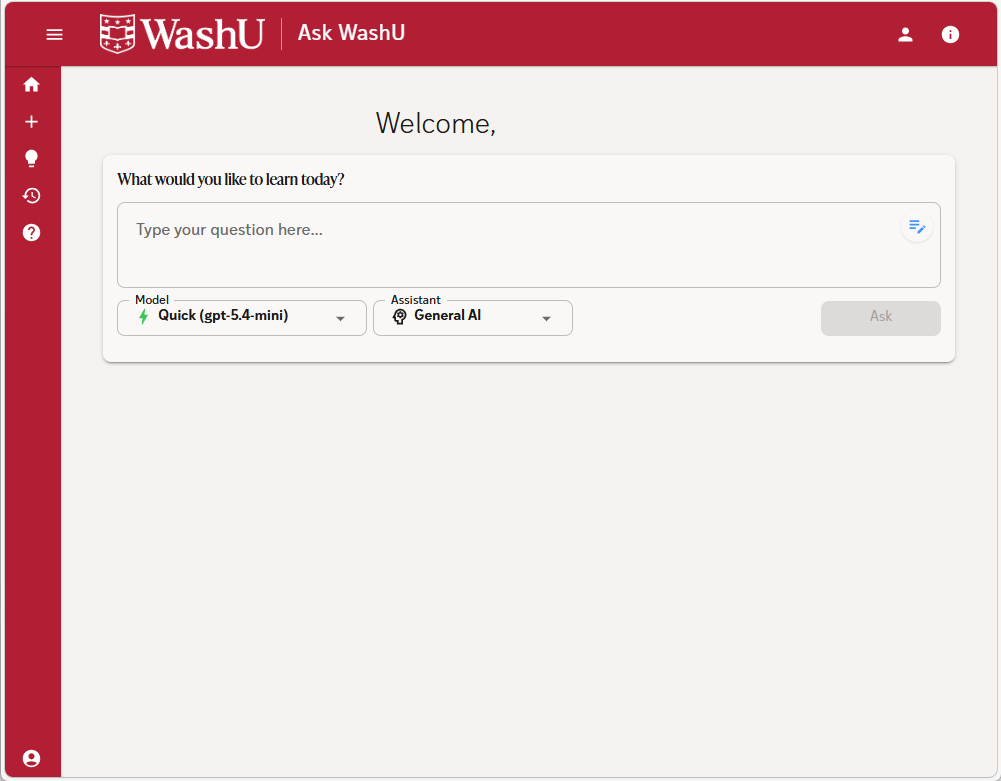
Ask WashU runs inside the WashU’s controlled environment, ensuring that anything you type stays within university systems and is not shared externally or used to train public models. Available to the WashU community and protected behind WashU Key logins, Ask WashU follows campus security and data‑governance policies. Because it operates in a safeguarded environment—with protections like encryption and access controls —it allows students, faculty, and staff to safely use AI for academic or administrative tasks without the risks associated with the public ChatGPT platform.
When you log into Ask WashU, you can immediately start chatting or begin fine tuning your experience by selecting a different model, using a prompt template or switching to one of the other assistants.
Video: Introduction to Ask WashU (1 minute 19 seconds) – Learn how Ask WashU protects your data while providing access to advanced AI models for academic and administrative tasks.
Unsure where to start? Start with Ask WashU’s Quick Start Guide.

Assistants & Navigators
Assistants and navigators work with limited data sets to provide focused responses based only on the data context provided. They allow interactive chats against tuned knowledge boundaries.
Navigators group data for particular user-focused searches (ex: Information Security).
Video: Information Security Navigator (3 minutes 14 seconds) – Learn how to use the Information Security Navigator to search WashU security policies, standards, and guidelines.
The document assistant in the WashU Ask works by letting you upload or reference files (like PDFs, Word docs, spreadsheets), then using the selected model to read, interpret, and act on the content. Behind the scenes, the app extracts text from the document, sends the relevant portions to the language model, and the model can then summarize, search, rewrite sections, answer questions about the content, generate outlines, or help create new documents based on what it learned. It essentially turns your file into an interactive conversation: you ask questions, and the assistant pulls the answers directly from your document while keeping context through the chat.
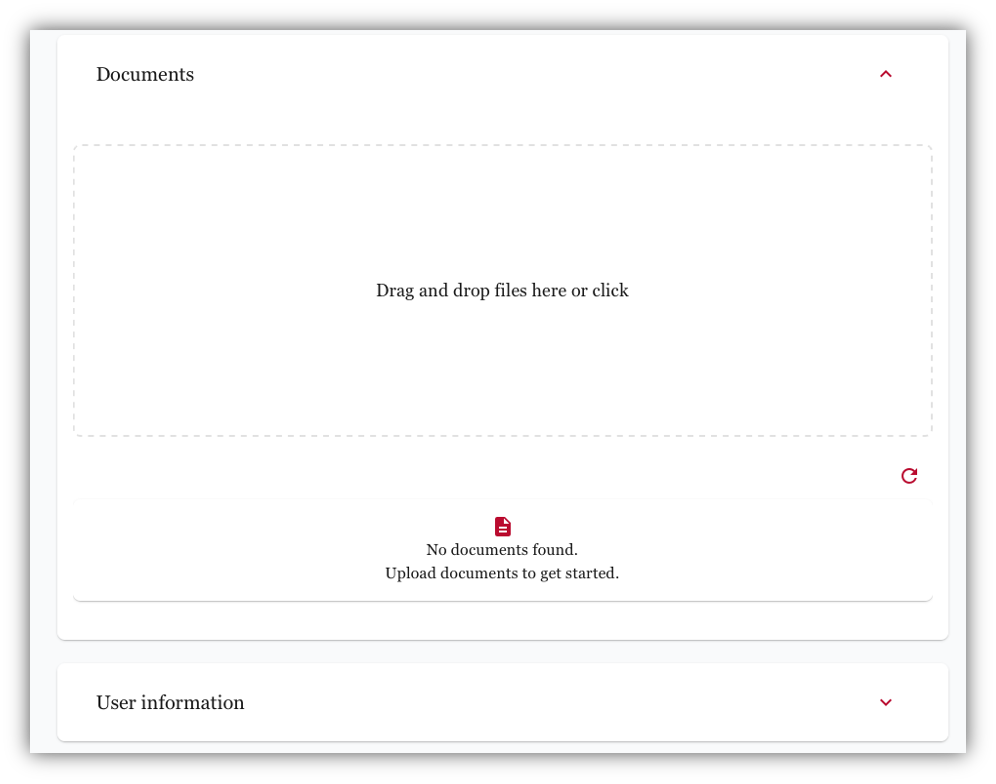
The Infosec Navigator works by letting you bring WashU Information Security policies, standards, and guidelines into a chat and then using the model to interpret, explain, and apply them. When you upload or reference a policy, the assistant extracts and analyzes the text, allowing you to ask questions, request clarifications, generate summaries, draft new policy language, compare documents, or check alignment with frameworks—all through natural conversation.
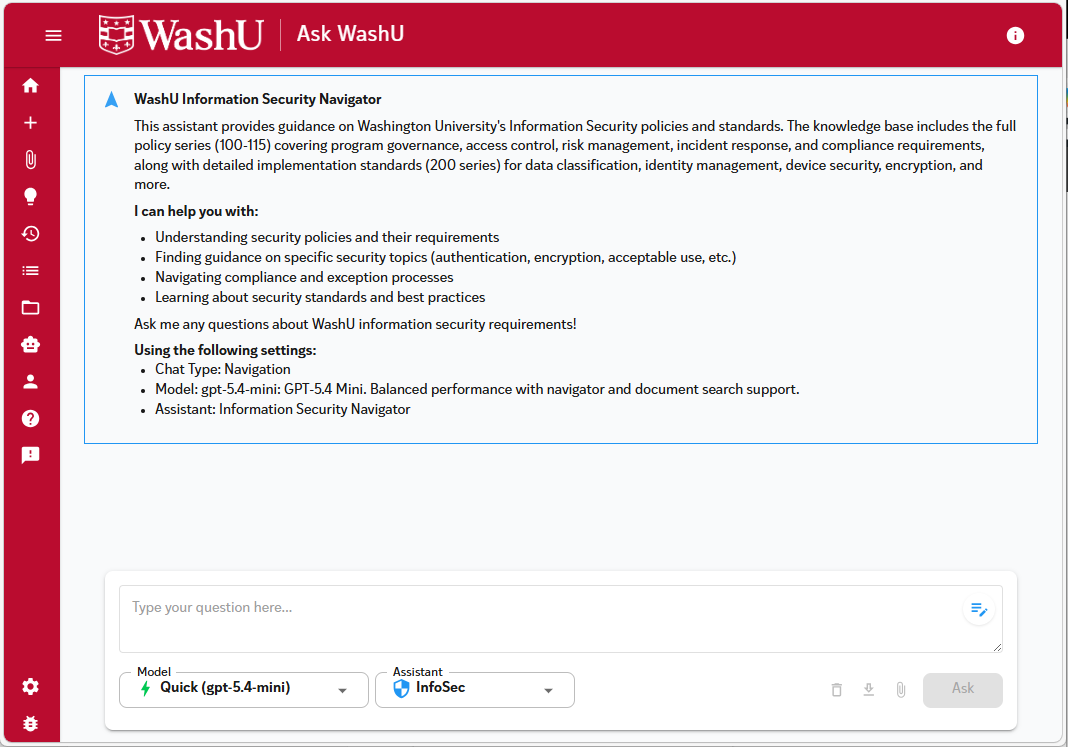
Navigators group data for particular user-focused searches (Student, Staff, IT Services) and are currently experimental – enable them in your settings under Feature Visibility. InfoSec Assistant is in beta and actively being tested and validated.

Settings
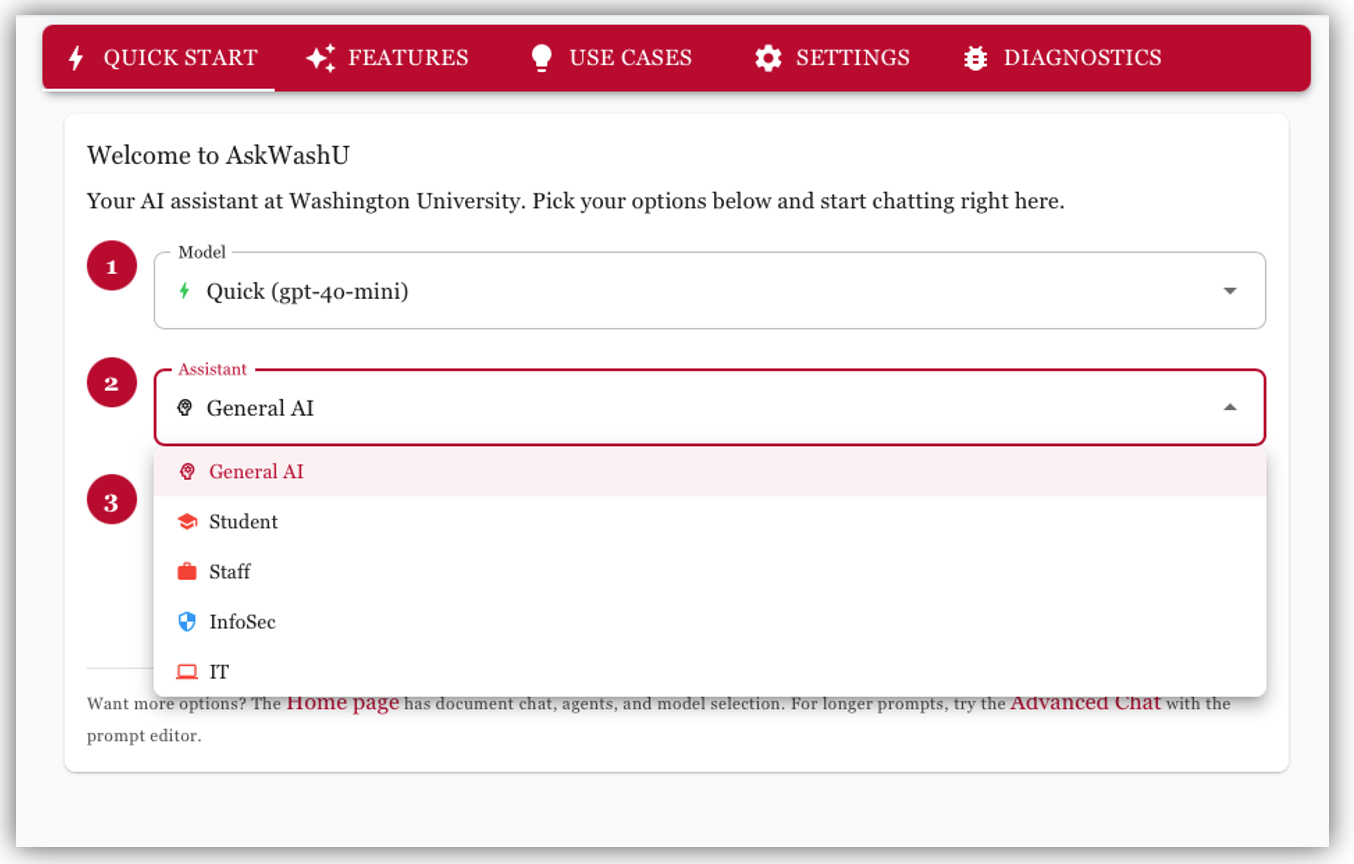
Customize your Ask WashU experience with through a robust set of options including personalization (what you want Ask WashU to know about you), appearance & accessibility (font sizes, color schemes), prompt templates (quick start templates to help generate higher quality responses) and even a toggle to unlock experimental features.
Video: Settings and Preferences (3 minutes 22 seconds) – Learn how to use the Settings menu to adjust features and personalize it to provide more relevant, formatted, and tone-specific responses every time you chat.
Video: General Chatting Features and Prompt Templates (3 minutes 51 seconds) – Learn how to start chatting and use templates to save time on writing and analysis tasks.
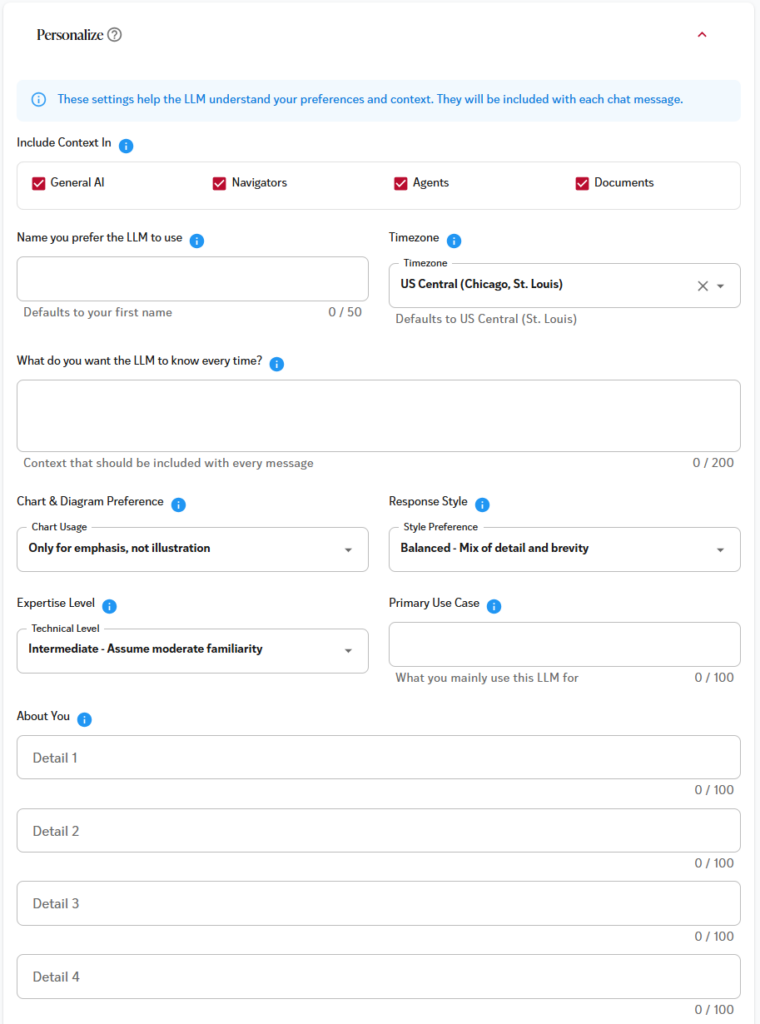
Use this section to provide information about yourself that Ask WashU should take into consideration and details you’d prefer it emphasize when responding. This is your chance to let Ask WashU know how you prefer to experience it!
Within this section, you can adjust the overall font size, color theme and various accessibility settings.
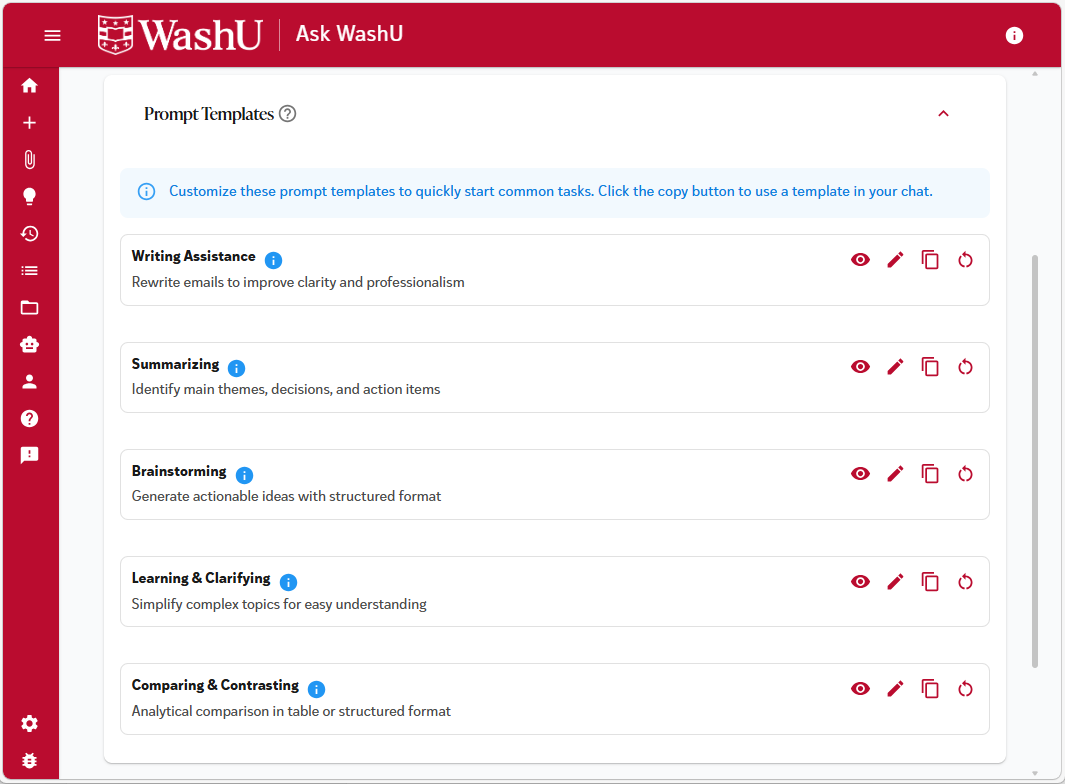
Prompt Templates is your chance to jump‑start conversations with ready‑made ideas. Whether you need inspiration, a faster way to get started, or guidance on what to ask, Prompts provides curated suggestions tailored to common tasks and campus needs. Just choose a prompt, customize it if you like, and Ask WashU will take it from there—making it easier than ever to begin a project, explore a topic, or solve a problem with confidence.
Within this section, you can control options such as how long should chats be retained and whether you want to experience only the most stable features (production) or whether you want to experiment with features still under development & refinement (beta or experimental).
Experimental mode gives you access to very early, unpolished features that may change or break, while beta mode offers more stable, nearly finished features that are being tested before full release.
Having both experimental and beta environments gives you the best of both worlds: experimental mode lets developers try bold, early-stage ideas without risking the stability of the main experience, while beta mode allows more polished, near-final features to be tested by a wider audience before full release. Together, they speed up innovation, improve feature quality through layered feedback, and reduce the chance of bugs or design issues making it into the final product.
Feedback & Support
Have Feedback? We are always looking for ways to improve Ask WashU to meet your needs! Users are invited to share chatbot feedback by clicking Ask WashU’s feedback icon.
Unsure how to start using Ask WashU? Ask WashU includes a robust and interactive help system. There’s a quick start guide, overviews of each feature and even a how to guide for specific questions.
Need Support? Contact the IT Service Desk for additional help.
FAQ
Yes. Ask WashU is safe & secure, appropriate for use with data protected by HIPAA and/or FERPA.
In the normal course of operation, WashU does not monitor or read your individual chat histories. However, specific legal or administrative circumstances, such as a litigation hold or an investigation, may require access to data.
Yes. Ask WashU supports multimodal input including text, files, and code — and can work across these formats seamlessly within a single conversation.
Not at this time. Because Ask WashU operates in a safe & secure sandbox, it does not have direct access to web queries.
Yes. You can upload multiple supported file types and reference them together.
No. Data in Ask WashU is never used to train models.
Your prompts and conversations are never used to train the any of the models. The Ask WashU environment is fully HIPAA- and FERPA-compliant.
By default, Ask WashU retains chat history for 6 months. You can change this value within settings if you prefer a different retention length.
Restrictions for Use
Ask WashU is limited to University related activities, such as academic, teaching or research. The use of Ask WashU for personal activities is prohibited.
Be sure to follow all legal, regulatory, and University policies when collecting or storing sensitive data. If unsure whether or not your tasks or documents contain sensitive data, contact the departments below for guidance.
- HIPAA Privacy Office for Protected Health Information (HIPAA)
- University Registrar for Protected Student Information (FERPA)
- Information Security, including Personally Identifiable Information (PII)
- Human Research Protection Office for the use in human research studies