Secure Ask WashU Beta
WashU AskWashU Beta is approved for use with sensitive information, including data protected under HIPAA and FERPA.
Students: Please ensure the responsible use of generative AI by reviewing your course expectations for the authorized use of generative AI. It is your responsibility to seek clarification from your faculty member prior to using this or any other generative AI tool. For more information on academic integrity at WashU, please visit provost.washu.edu/vpei/academic-integrity.
Overview and Vision
Secure Ask WashU Beta is a private, university‑protected version of an AI question‑and‑answer tool that runs inside the institution’s controlled environment, ensuring that anything users type stays within university systems and is not shared externally or used to train public models. It typically requires authentication such as SSO, follows campus security and data‑governance policies, and can be customized to incorporate university‑specific information, resources, and guidelines. Because it operates in a safeguarded environment—with protections like encryption, access controls, and internal monitoring—it allows students, faculty, and staff to safely use AI for academic or administrative tasks without the risks associated with the public ChatGPT platform.
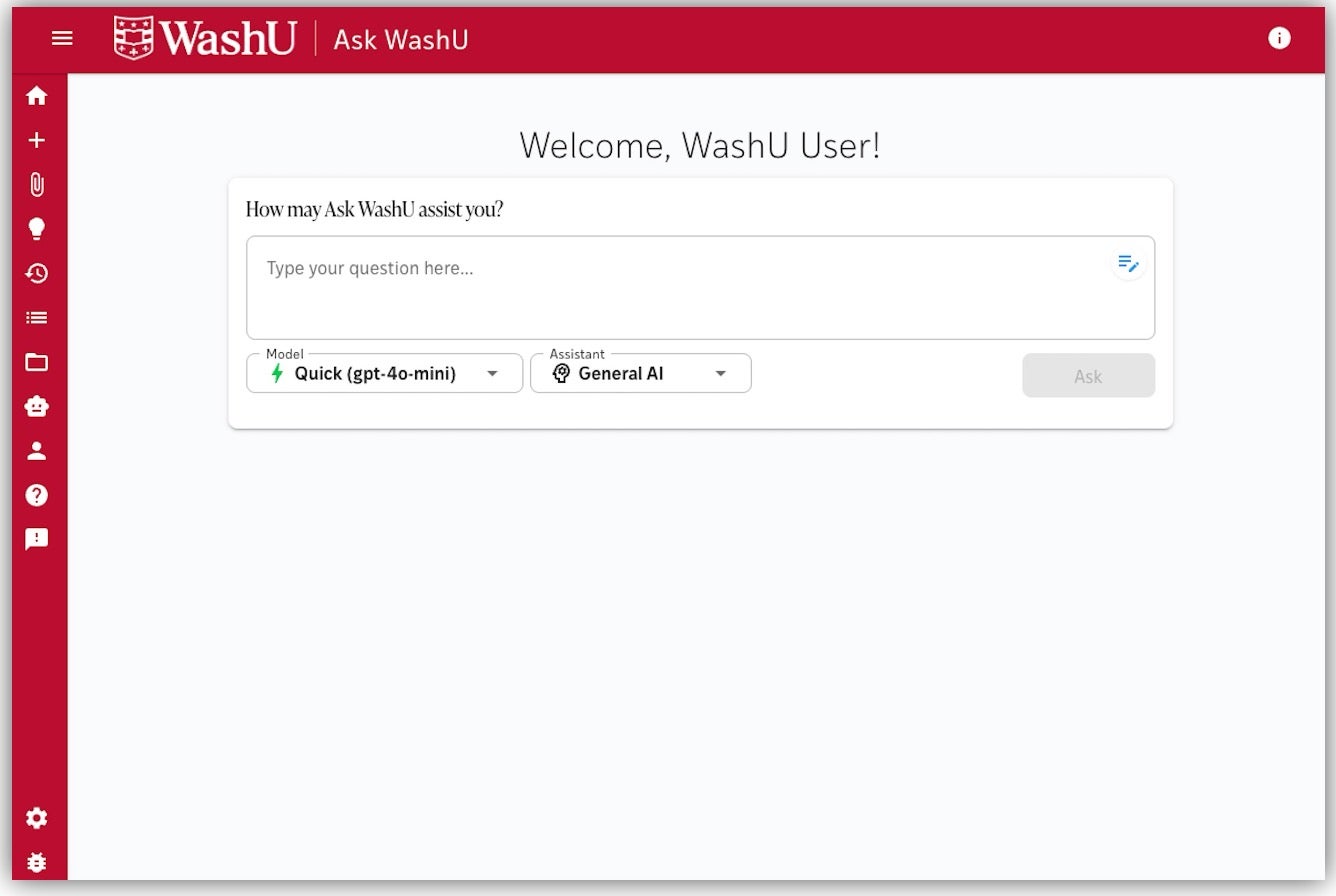
Secure advanced AI chatbot where users can interact with multiple files, select from different models and access similar features with OpenAI and Microsoft. Includes experimental WashU-trained navigators to more easily interact with a curated set of WashU information.
Chats and Configuration
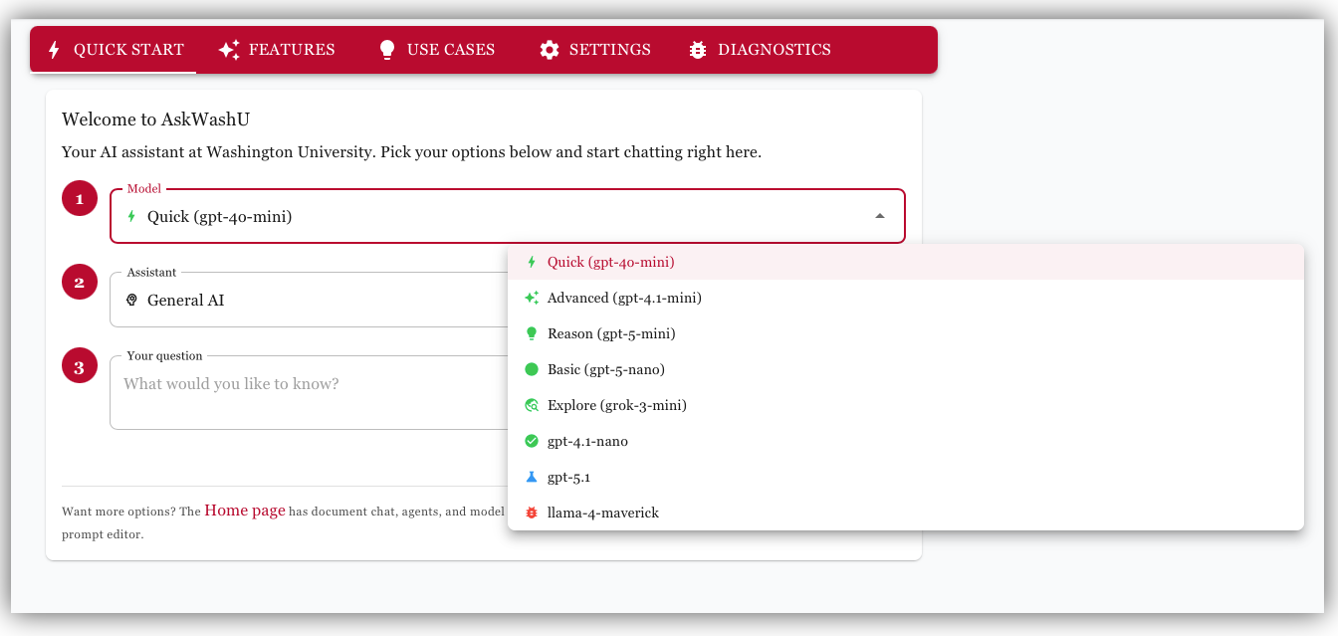
Choose a chat mode to start your conversation. WashU provides a balance of speed, depth, and creativity for every question. Whether you’re here to get quick answers, dive into complex reasoning, or explore new ideas, each mode is designed to help you work smarter and more efficiently.
Assistants
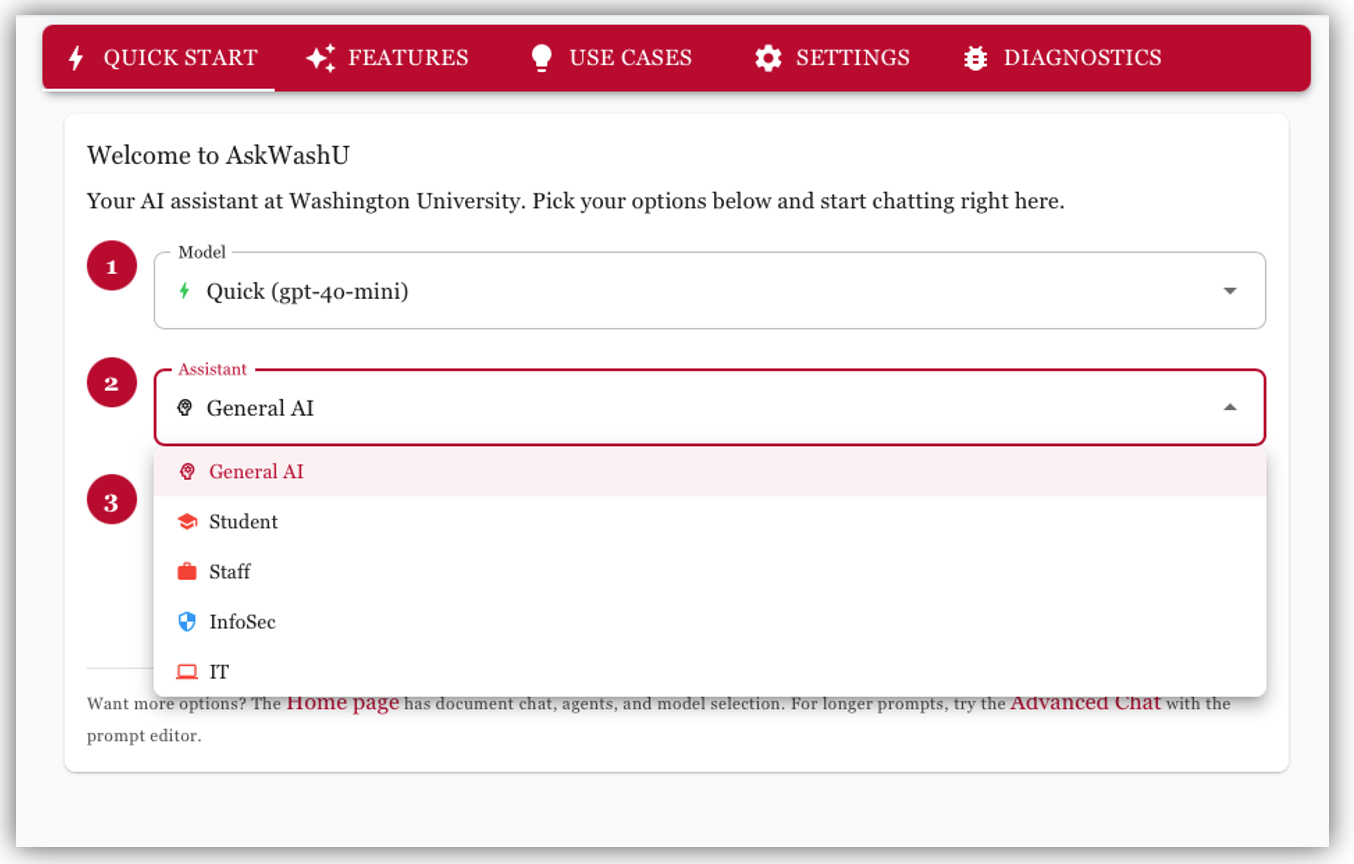
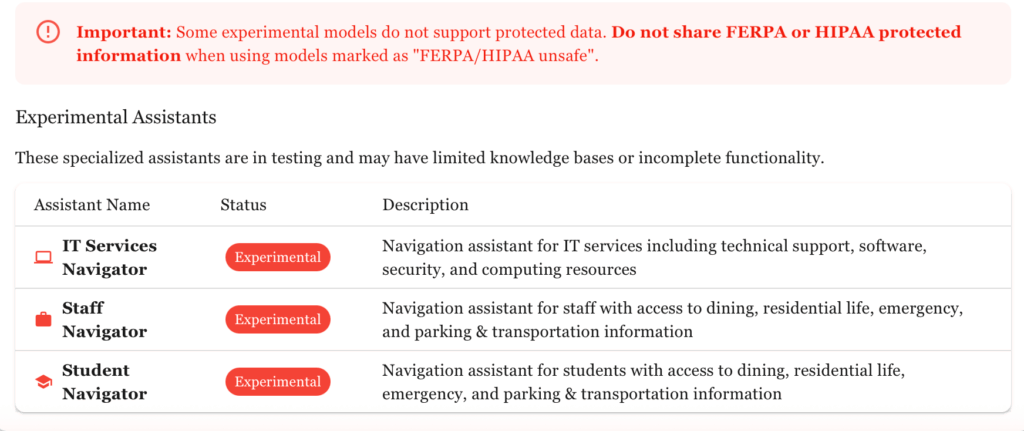
Assistants work with limited data sets to provide focused responses based only on the data context provided. Both assistants and navigators are designed to stay within their knowledge boundaries.
Navigators group data for particular user-focused searches (Student, Staff, IT Services) and are currently experimental – enable them in your settings under Feature Visibility. InfoSec Assistant is in beta and actively being tested and validated.

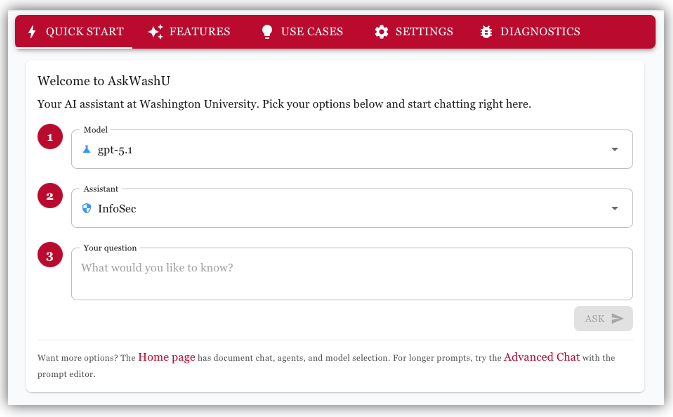
Infosec Policy Assistant
The Infosec Policy Assistant in WashU Ask works by letting you bring security policies, standards, procedures, or compliance documents into a chat and then using the model to interpret, explain, and apply them. When you upload or reference a policy, the assistant extracts and analyzes the text, allowing you to ask questions, request clarifications, generate summaries, draft new policy language, compare documents, or check alignment with frameworks—all through natural conversation.
General AI
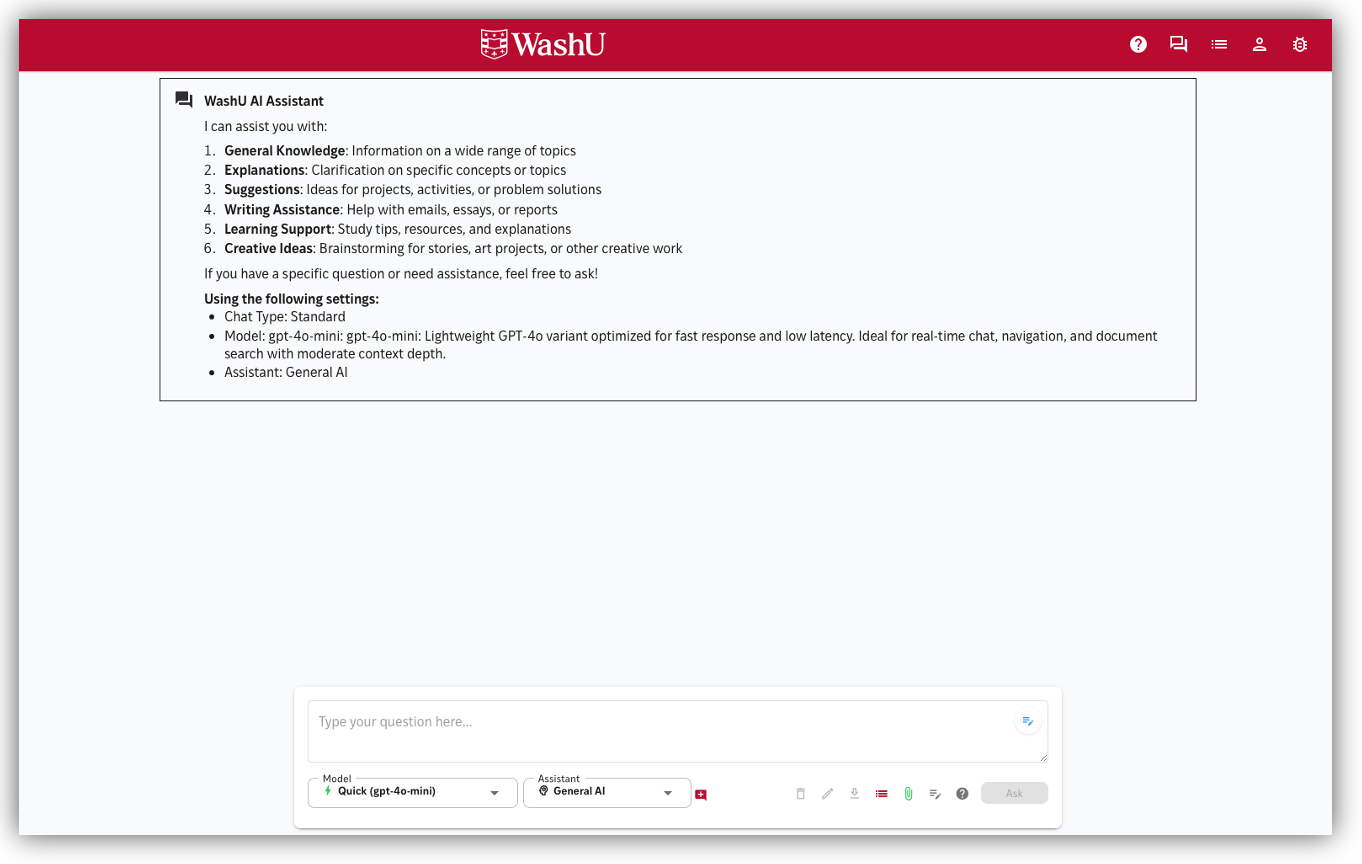
General AI assistant for wide-ranging conversations. General AI is your go‑to starting point when you want accuracy, clarity, and versatility without needing to choose a specialized mode. Get help with knowledge, writing, learning, and creative taks.
Settings
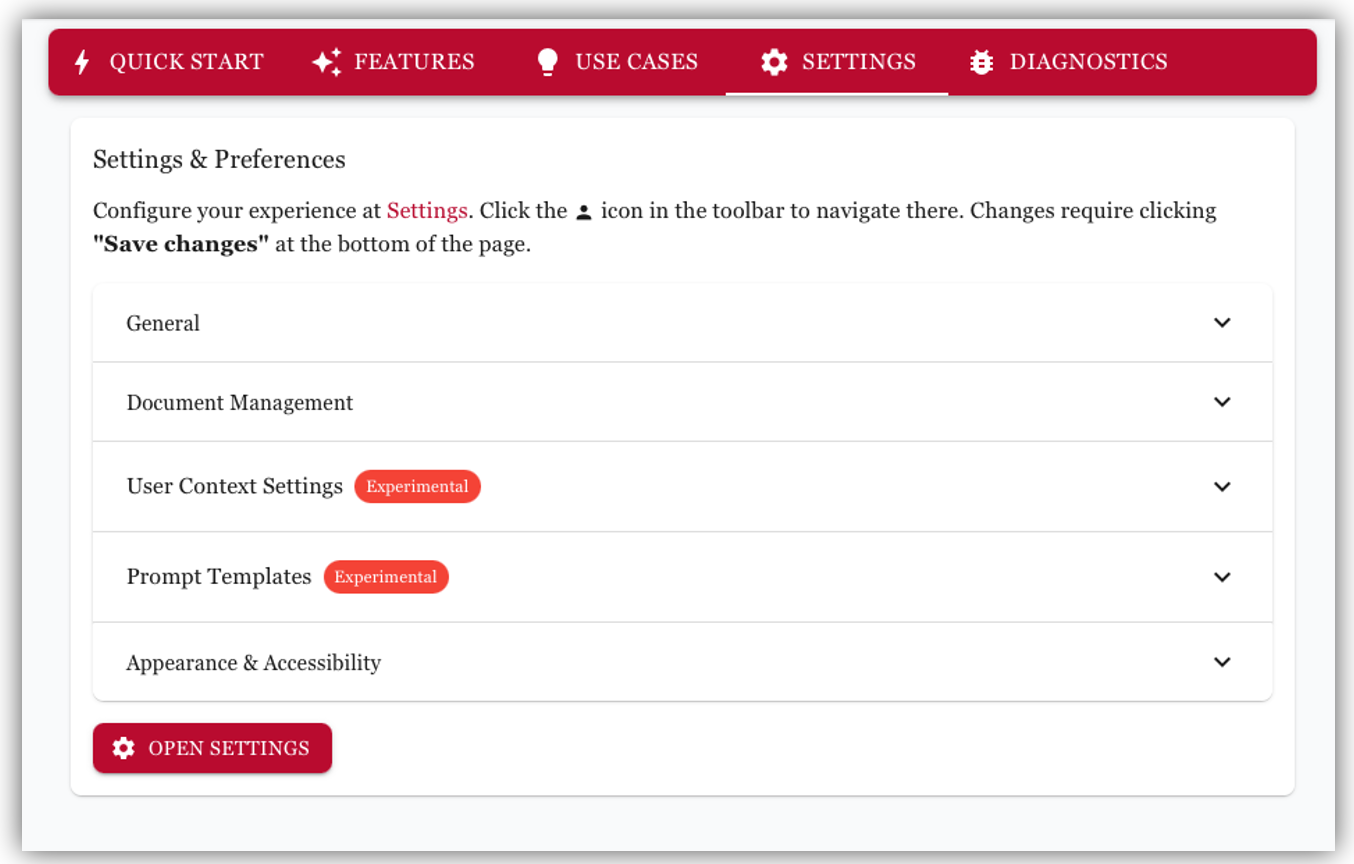
Customize your AskWashU experience with personal preferences, document management, and user configuration options. Here, you can adjust your chat experience—choose your preferred model, switch assistants, manage conversation features, and fine‑tune how the system responds.
Document Assistant
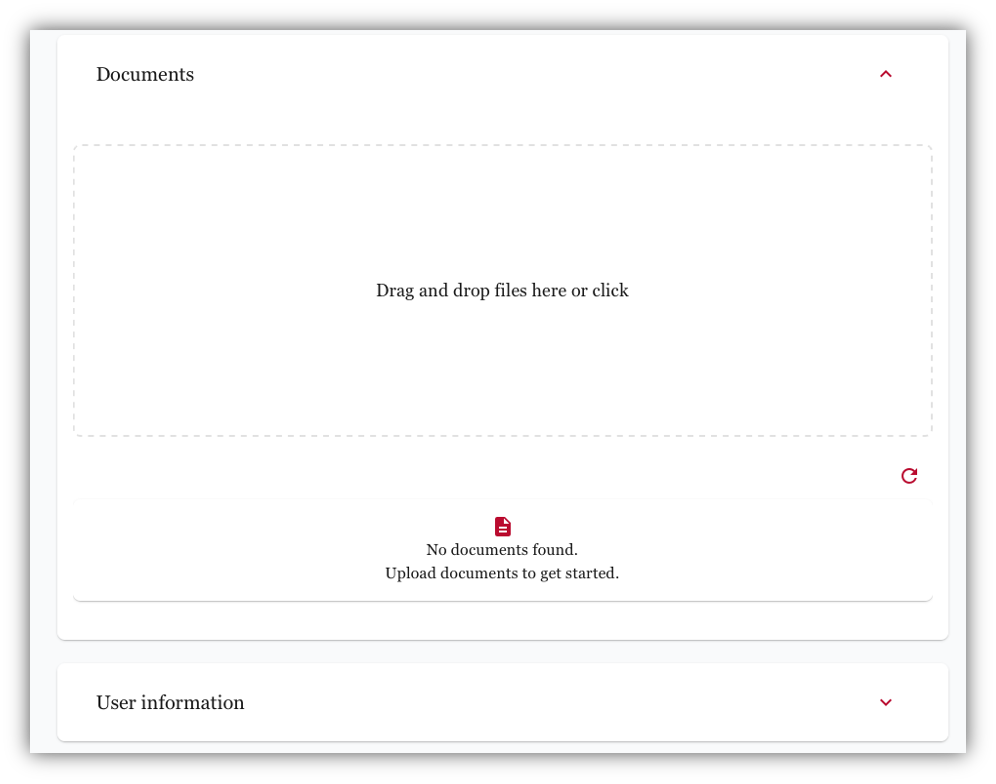
The document assistant in the WashU Ask works by letting you upload or reference files (like PDFs, Word docs, spreadsheets), then using the model to read, interpret, and act on the content. Behind the scenes, the app extracts text from the document, sends the relevant portions to the language model, and the model can then summarize, search, rewrite sections, answer questions about the content, generate outlines, or help create new documents based on what it learned. It essentially turns your file into an interactive conversation: you ask questions, and the assistant pulls the answers directly from your document while keeping context through the chat.
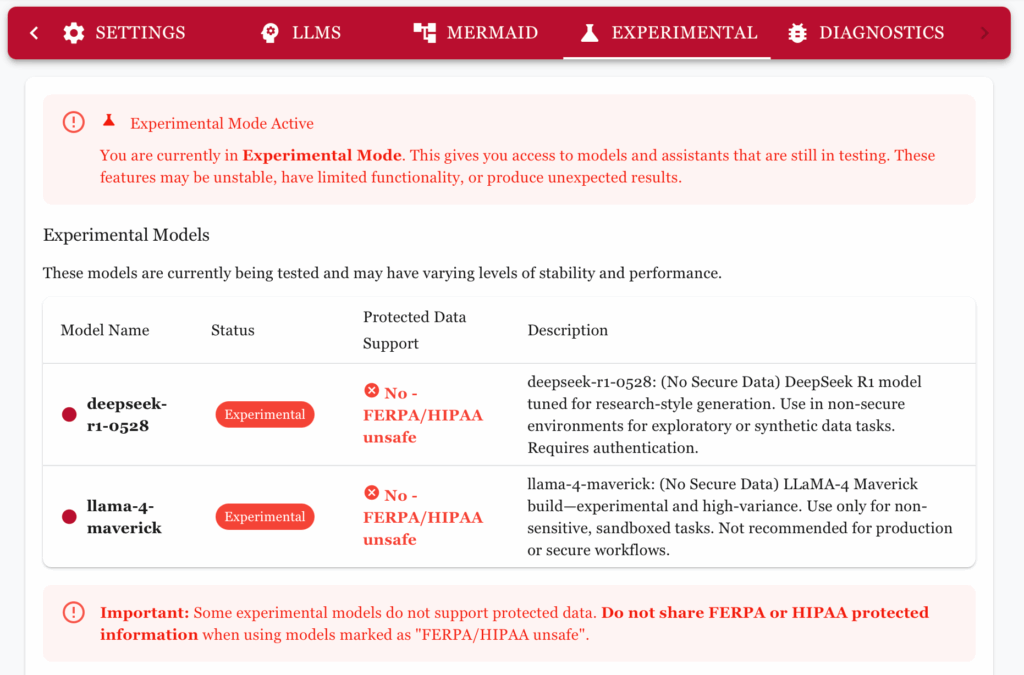
Experimental Mode vs. Beta Mode
Experimental mode gives you access to very early, unpolished features that may change or break, while beta mode offers more stable, nearly finished features that are being tested before full release.
Having both experimental and beta environments gives you the best of both worlds: experimental mode lets developers try bold, early-stage ideas without risking the stability of the main experience, while beta mode allows more polished, near-final features to be tested by a wider audience before full release. Together, they speed up innovation, improve feature quality through layered feedback, and reduce the chance of bugs or design issues making it into the final product.
Prompt Templates
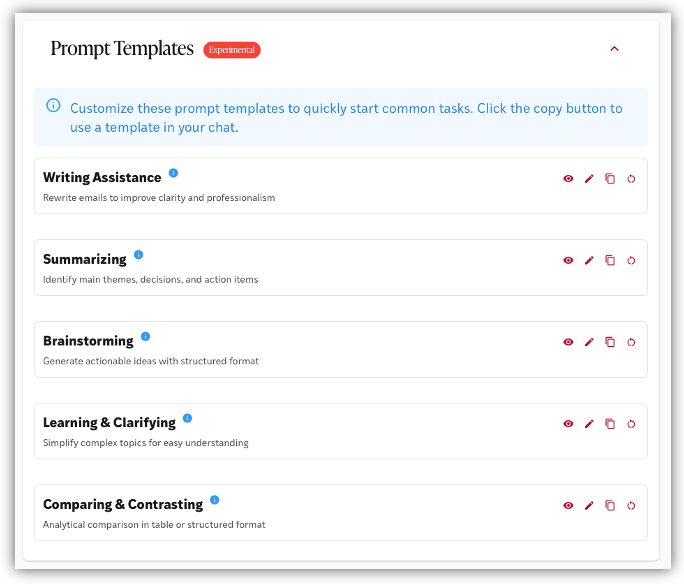
Prompts is your space to jump‑start conversations with ready‑made ideas. Whether you need inspiration, a faster way to get started, or guidance on what to ask, Prompts provides curated suggestions tailored to common tasks and campus needs. Just choose a prompt, customize it if you like, and AskWashU will take it from there—making it easier than ever to begin a project, explore a topic, or solve a problem with confidence.
Feedback
Users are invited to share chatbot feedback by emailing ithelp@wustl.edu so that we may continue improving user experience and optimizing the tool. Advanced users may also request API access.