Is there a way to see how large my trash is? How can I purge what’s currently in my trash?
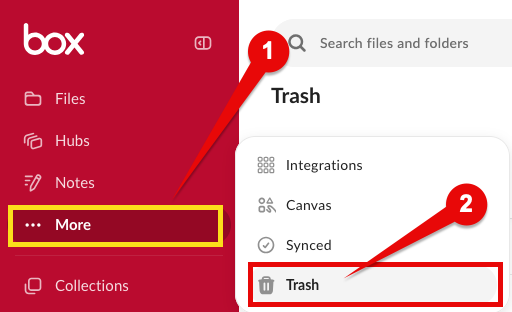
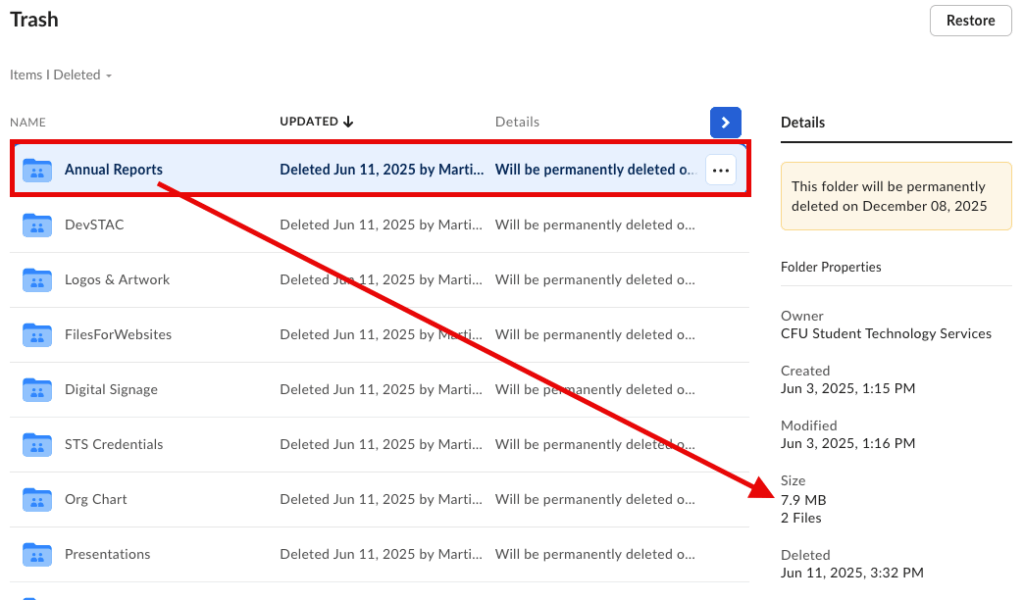
Currently, only a Box administrator can view the total size of an individual user’s trash. However, you can check the size of individual files or folders in your trash. After logging in to Box, select More from the left-side menu, then Trash. Select any file or folder to view its size in the right-side menu.
If you have large files or folders you’d like to purge immediately, you may submit a request.
Note: Before deleting shared folders or older data stored in shared folders, please confirm with any other users who have access to assure the content is no longer needed.
Learn more at this FAQ: What happens when I delete a file or folder from Box?