How to tag files and folders in Box
- After logging in to Box, locate the file or folder you wish to tag.
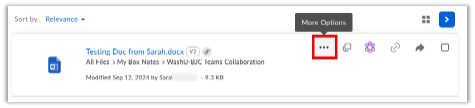
- Select the 3-ellipsis icon next to the file or folder name.
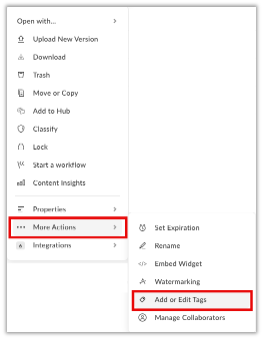
3. Select More Actions (the 3-ellipsis) from the drop-down menu, then select Add or Edit Tags.
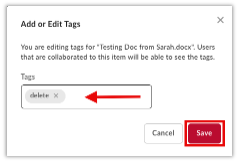
4. Type the tag name in the tag box being careful to be consistent with your naming scheme and spelling, then select Save.
Related: How to locate your tagged files