Using Securely | Requesting Access | New Users | Resources | FAQ | Restrictions for Use

Claude Enterprise
Anthropic Claude is now available to WashU faculty and staff. The WashU Claude Enterprise workspace provides secure, private access to Anthropic’s most powerful AI models in an environment designed for academic work. Your conversations are not used to train the model, making it an appropriate environment when working with WashU or personal intellectual property, or when developing research, writing, or code that you wouldn’t want shared publicly.
Available for faculty and staff to request access. Future phases may widen access to students and other community members.
Key Features:
- All-in-one AI assistant for data analysis, coding, research, and collaborative workspaces
- Coding, data analysis, and visualization capabilities
- Extended context windows for processing large documents and complex tasks
- Multiple interfaces: Chat, Cowork (desktop automation), and Code (developer CLI)
- Projects feature for organizing work with custom instructions and knowledge bases
Not Approved Data Protected by HIPAA or FERPA
This workspace is not approved for use with protected health information (HIPAA) or protected student records (FERPA). Do not enter any regulated sensitive data into Claude. WashU is working toward expanded data protections for future use.
Using Claude Securely
To verify that you are using WashU-Protected Claude, look for the “WashU Claude Enterprise” label at the lower left corner of your screen after signing in.
After signing in at claude.ai, check the bottom-left corner of the sidebar:
- Look for your name (e.g., “John Doe”) at the bottom of the left sidebar.
- Below your name, you should see “WashU Claude Enterprise” in smaller text.
- If you don’t see it, click the account switcher to switch to the WashU Team workspace.
Only conversations within the WashU Claude workspace are protected under WashU’s enterprise agreement.
Requesting Access
NOTE: Because Claude usage is not approved for use with data protected by HIPAA or FERPA, using Claude within WashU Medicine environments presents an increased risk to the university. WashU Medicine users will be required to submit a WashU Medicine AI Exception Request before requesting Claude access. A link to the request form will be available by end of June 2026.
Claude Edu is now available for faculty & staff to purchase subscriptions directly from WashU IT. Two tiers are available to choose from and are billed monthly. Both tiers provide access to the same features. The higher tier provides additional usage quotas. Quotas are managed by Anthropic and are based on a combination of factors including message length, tools utilized and model selected. More demanding capabilities (such as advanced models) consume more usage against your quota. The following table summarizes the tiers available to help you decide which best fits your needs:
| Tier | Best For | Quota | Cost |
|---|---|---|---|
| Standard | Most users, including those who infrequently use Cowork or Code | 1.5x | $20/user/month |
| Premium | Power users regularly using Cowork or higher cost models Developers or researchers using reasoning or Code | 12x | $50/user/month |
Interested in requesting access? Faculty, staff and departments may submit an Anthropic Claude Edu Subscription request when it is available by end of June 2026.
For New Users
Once your request has been approved, you will be invited to WashU’s Claude Enterprise. Because you may already have a personal Anthropic account, the following steps walk through accepting WashU’s invitation and accessing Claude with your WashU Key.
This email from WashU IT will introduce the platform and provide a link to access and accept the Appropriate Use Agreement.
Before being granted access to WashU’s Claude Enterprise workspace, you will be required to review and acknowledge expectations for safe and responsible use of Claude. The welcome email includes a link to the Appropriate Use Agreement.
After you accept the agreement, your account will be automatically created. This process typically takes 40-90 minutes.
Please note that you will not receive an email when provisioning is complete. After 90 minutes, your account should be ready to use.
Once your account has been provisioned, go to claude.ai to sign in.
Enter your WashU email and click ‘Continue with email’.
You will be directed to sign in with your WashU credentials.
Enter your WashU Key details.
Please note that WashU Key login is bypassed if you already have a valid WashU Key session.
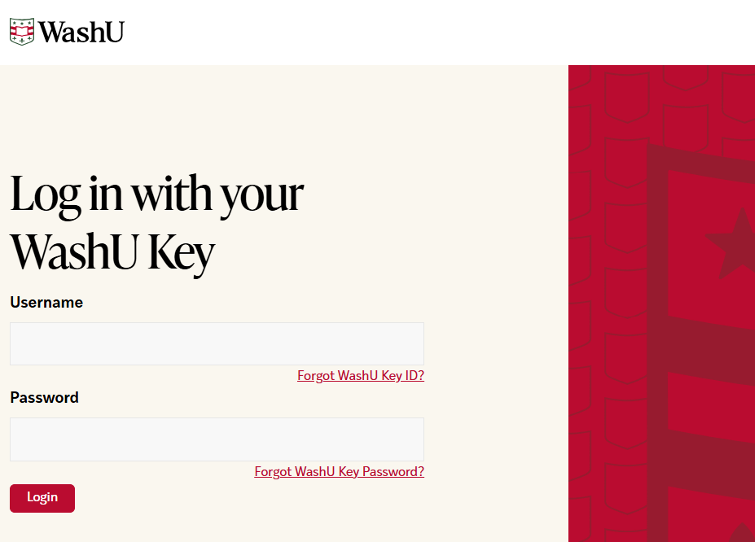
You are now logged into Claude using your WashU account and can securely interact with its features.
If you already have an existing Claude account, utilize the WashU Claude Enterprise subscription for WashU Claude Edu access.
Resources for Current Users
FAQ
No. WashU does not currently have a Business Associate Agreement (BAA) with Anthropic. Do not enter PHI, FERPA-protected records, or other regulated sensitive data. A BAA is being pursued for the future.
Not routinely. Usage data and metadata may be reviewed for security, compliance, and license management.
Yes. Claude can process text, analyze images, write and execute code, and create visualizations all in one conversation.
No. Under WashU’s enterprise agreement, conversations in the WashU Claude Team workspace are not used for model training.
Yes, if signed in to your WashU Claude Team account. Verify “WashU Claude Enterprise” appears under your name.
Yes. Navigate to claude.ai, sign in with your WashU Key, and verify “WashU Claude Enterprise” appears in the lower-left corner.
Yes. Conversations are private and excluded from model training. Note: without a BAA, regulated data (PHI, FERPA) must not be entered.
Access may be revoked if you leave the university, violate the Appropriate Use Agreement, or if the pilot ends.
All the major features available in the consumer version of Claude are available for use within Claude Edu.
No. Claude Edu does not access current web information.
Claude Edu retains chat history for 18 months.
WashU Claude Enterprise is a separate subscription from any existing Claude plan you may have. If you currently have a personal Claude subscription, it will continue to coexist alongside your WashU Claude Enterprise access.
Within Claude, you can click on your name, select settings and then select usage to view your usage relative to your tier’s quota. Learn more about usage limit best practices
Restrictions for Use
Claude is limited to University-related activities such as academic teaching or research. Personal use is prohibited.
This application is not appropriate for use with data protected by HIPAA or FERPA. Be sure to follow all legal, regulatory, and University policies when collecting or storing sensitive data. If unsure whether or not your tasks or documents contain sensitive data, contact the departments below for guidance.
- HIPAA Privacy Office for Protected Health Information (HIPAA)
- University Registrar for Protected Student Information (FERPA)
- Information Security, including Personally Identifiable Information (PII)
- Human Research Protection Office for the use in human research studies